
Public and private Crews
The public Crew includes pregame picks, live Flash Picks, chat, receipts and standings. Your invite-only Crews stay private.
Join other Steelers fans in Steel City Public Crew. Talk through the game, make picks before kickoff, and answer live Flash Picks as the game unfolds. You can also start a private Crew for friends and family.
Chat is always free · Public and private Crews · No wagering
New in 1.0.8: Public Crew and more ways to call the gameWatch Steel City Gameday
Mike walks through the app the way a Crew uses it on a Steelers Sunday: create a Crew and invite friends with a code, make picks before kickoff, talk in the private Room during the game, answer the Flash Pick, then see every pick scored and who called it after the final.
About 90 seconds Captioned
New in 1.0.8 · Available now
Join Steel City Public Crew to chat and make picks with other Steelers fans, alongside your private Crews. Update to 1.0.8 on the App Store. See what’s new.
Update on the App StoreThe public Crew includes pregame picks, live Flash Picks, chat, receipts and standings. Your invite-only Crews stay private.
Game Day shows who the Steelers are playing each week, so the opponent is right there with your picks.
Pregame question sets rotate starting with Week 6. Live Flash Picks vary by game and scoreboard situation. All picks are for points only.
During the game · Crew Room
Join Steel City Public Crew in the app and talk through the game with other Steelers fans. Chat is always free. The Room keeps the score, game clock and open Flash Picks alongside the conversation.
Start a private, invite-only Crew for friends and family. You can belong to Steel City Public Crew and your private groups at the same time.
Each live poll shows its point value and the time remaining to answer. Answers stay hidden from other members until the poll closes.
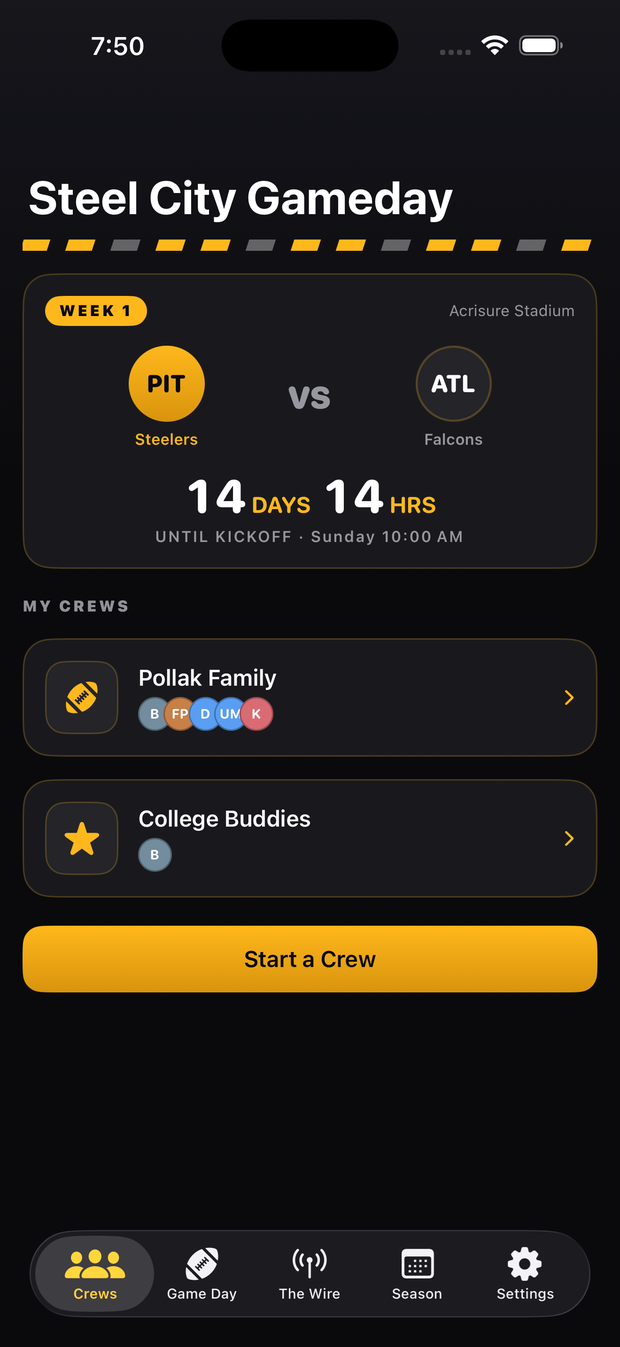
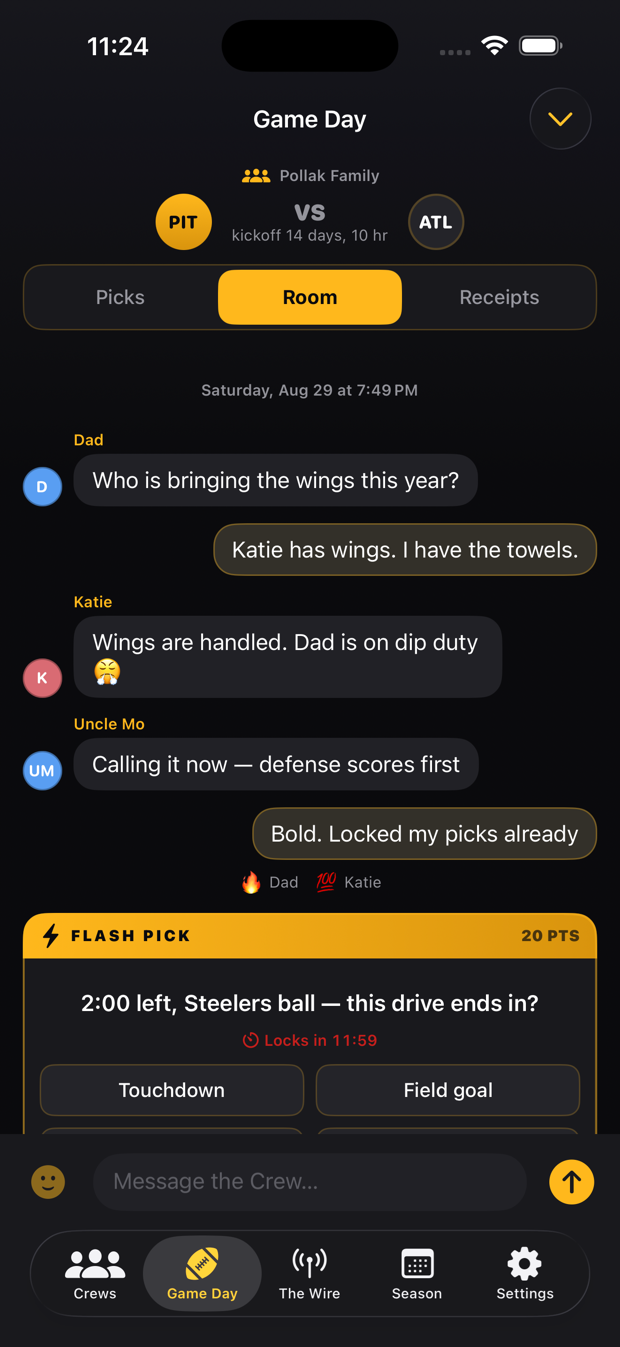
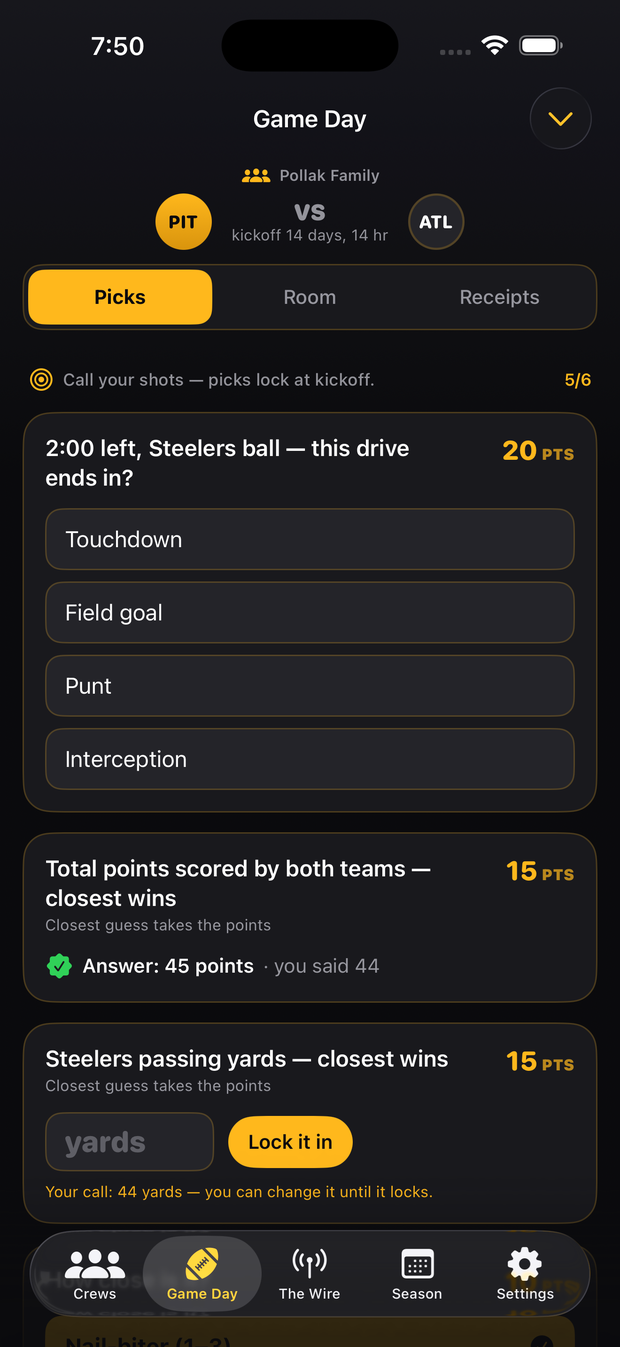
Before kickoff · Pregame Picks
Make your picks before kickoff, then compare answers with the Crew after they lock. Questions cover calls such as who wins, total points and the first touchdown. Each question shows the points a correct or closest answer earns.
You can change an answer until the pick locks. Your most recent saved answer is the one that counts.
Other Crew members cannot see your answers while a pick is open.
After the game · Receipts and Standings
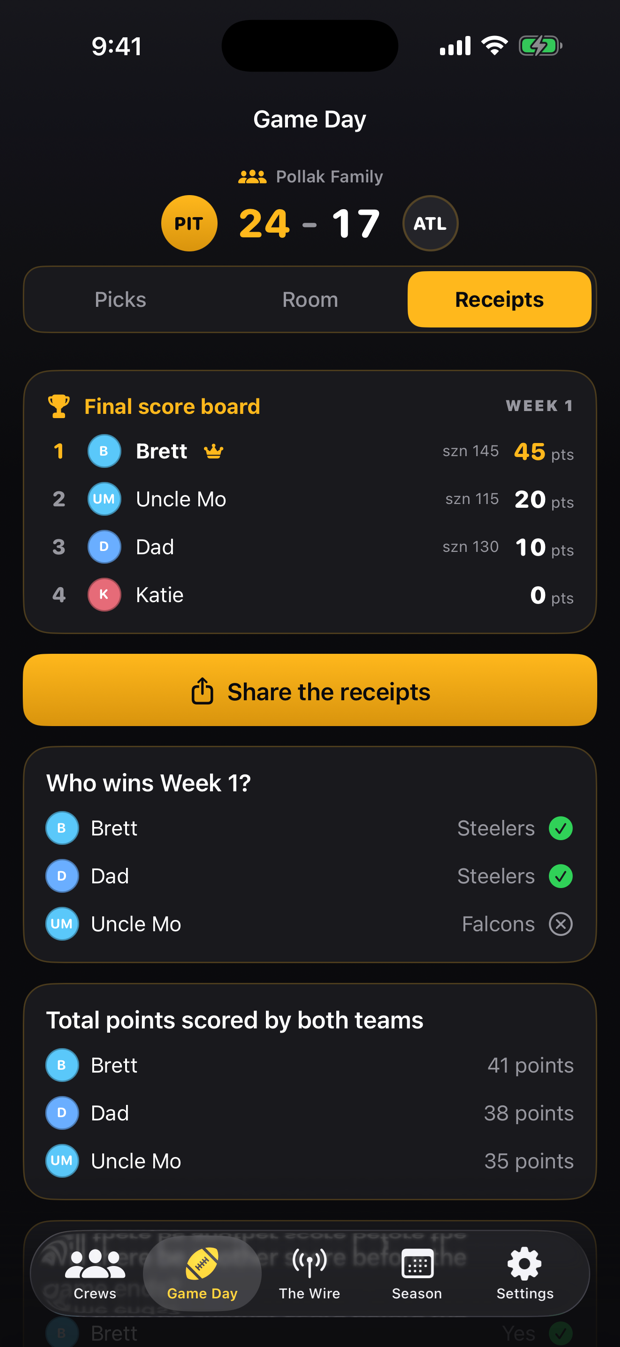
After the game, see how your picks compared with the Crew. Receipts show resolved questions, answers and points earned. Crew standings keep the competition going through the regular season.
Correct choices earn the listed points, and numeric questions award points to the closest answer. The member with the most points is shown as the game winner.
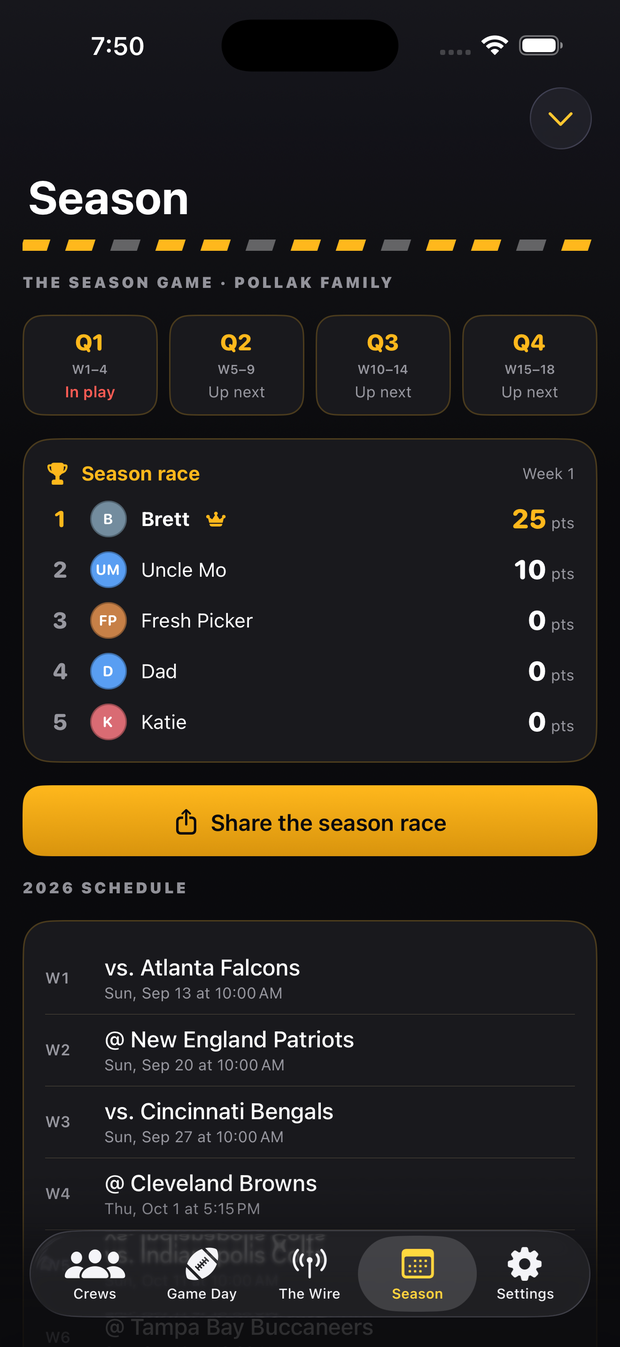
Standings cover the regular season, with checkpoints at Week 4, Week 9, Week 14, and Week 18. Playoffs are not included. The Season tab also shows the Steelers record and every final score.
Game day with a Crew
Alongside the public chat, you can create a private Crew for the people you watch with. This video follows a Crew making picks, chatting during the game and comparing results, whether they are on the same couch or watching from different places.
About 90 seconds Captioned
Also in the app · The Wire
The Wire checks publisher feeds every 15 minutes, lists the newest stories first, and groups articles that cover the same topic. Tap a headline to read the full story on the publisher's website.
The basics
An iPhone app where Steelers fans can join a public group chat, make pregame picks, answer live Flash Picks and compare Crew standings. Chat is always free. You can also create private Crews for friends and family.
You can join Steel City Public Crew in the app without an invitation. Sign in and choose to join; messages are visible to its members. Private Crews require an invitation and stay private. Picks stay hidden until they lock.
Yes. Notifications are optional. In Settings > Notifications, choose All, Mentions and replies, or Muted for each Crew. You can also mute a Crew for the current game. Requires version 1.0.2 or later.
The app is free to download, and Crew chat is always free. Scored picks, receipts, and season standings are free for your first five played games. After that they require the 2026 Season Pass, a one-time $9.99 in-app purchase for the 2026 season. It does not renew, and there are no other purchases in the app.
No. Picks are for entertainment inside your Crew. There is no wagering, entry fee, or prize of monetary value.
Steel City Gameday is available now on the App Store for iPhone. Use the App Store links on this page to download it. Sign in with Apple or an email address. More about signing in.
Join Steel City Public Crew
Download the app and join Steel City Public Crew. You can also invite friends and family to a private Crew.
Free to download for iPhone. Requires iOS 17 or later.